Block spam.
Keep peace.

Get your peace back with the easiest and intelligent way to block unwanted notifications on your phone.

Stop promotional spam, junk messages, and annoying alerts with simple, straightforward controls. No confusing setup required.

Easy Setup
Auto Spam Block
Free + No Ads
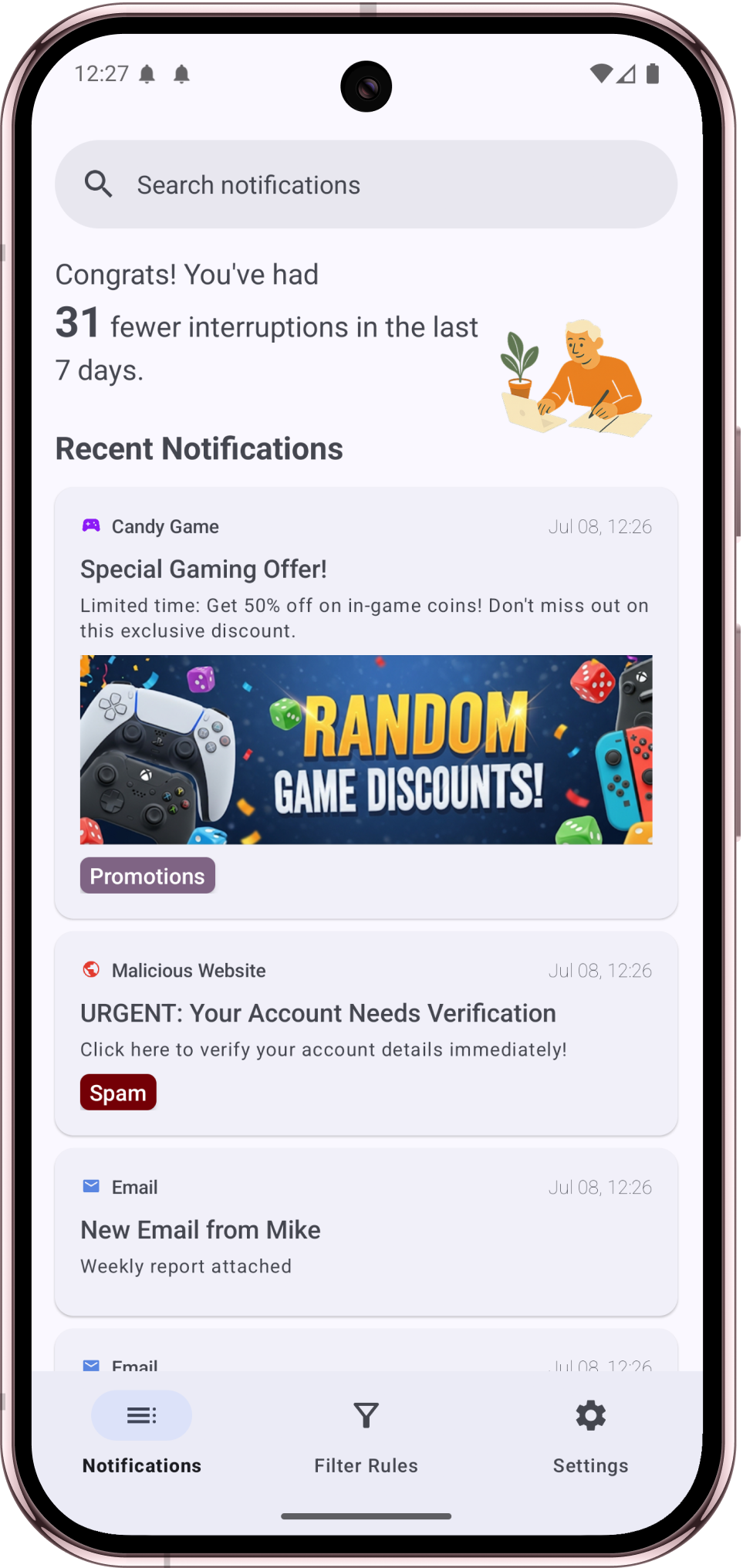
Notifiltr app interface showing how to block spam notifications

The Simple & Lightweight
Android Notification Spam Blocker

Smart Spam Detection

Automatically block spam notifications on Android using intelligent keyword detection and pattern recognition.

App-by-App Control

Manage notifications for Chrome and other apps individually. Whitelist important apps while blocking spam.

Keyword Filtering

Create custom filters to block notifications containing specific words like "sale", "discount", or "offer".

Privacy First

All filtering happens locally on your device. Your notifications never leave your phone.

Battery Friendly

Lightweight Android notification manager that won't drain your battery or slow down your device.

Safely Review and Restore

Take a quick peek at the notifications you've blocked, and restore them if you need to.

Block Spam Notifications
in 3 Simple Steps

1

Download & Install

Get Notifiltr from Google Play Store - it's 100% free with no ads.

2

Grant Permission

Allow notification access so the app can filter spam for you.

3

Enjoy Peace

That's it! Spam notifications are now automatically blocked.

Frequently Asked

How to block spam notifications on Android?

You can easily block spam notifications on Android using Notifiltr app. Simply download the app from Google Play Store, grant notification access, and setup AI filter rules. It will automatically filter out spam notifications using intelligent detection. You can also manually block specific apps or create custom keyword filters to catch notifications containing words like "sale", "discount", or any other terms you find annoying.

How to manage notifications on Chrome?

While Chrome and Android OS provides a way to manage notifications, it requires a lot of manual work and control. To easily manage Chrome notifications on Android, you can use Notifiltr to block unwanted Chrome notifications. The app allows you to filter Chrome notifications by keywords, or intelligently block malicious and promotional notifications without hassle. This ensures you only receive alerts that matter to you. It is 100% safe and respect your privacy - no notifications data is sent to any servers.

What makes Notifiltr better than other notification managers?

Notifiltr stands out as a top Android notification manager because it is lightweight and very simple to use. Unlike other notification managers, it's free and contains no ads. The app gives flexibility for user to setup their own rules, or uses smart algorithms to identify spam patterns while ensuring important notifications always get through.

Can Notifiltr block notifications from specific apps?

Yes! Notifiltr works as a comprehensive Android notification manager that allows you to block notifications from any app on your device. You can easily select which apps to block entirely, or set up more nuanced rules based on notification content. This is perfect for stopping spam from shopping apps, games, or any other apps that send too many promotional notifications.

Is Notifiltr safe and private?

Absolutely. Notifiltr prioritizes your privacy - all notification filtering happens locally on your device. Your notifications never leave your phone or get sent to any servers. The app only requires notification access permission to function, and this is used solely to filter spam. No personal data is collected, stored, or transmitted.

Ready to Block Spam Notifications?

Join others who've taken back control of their notifications.

Download Notifiltr - Free Android Notification Manager