Native macOS App • Privacy First

Your brain's
backup.

Clipmighty remembers everything you copy so you don't have to. A powerful, native clipboard manager that respects your privacy.
+ V

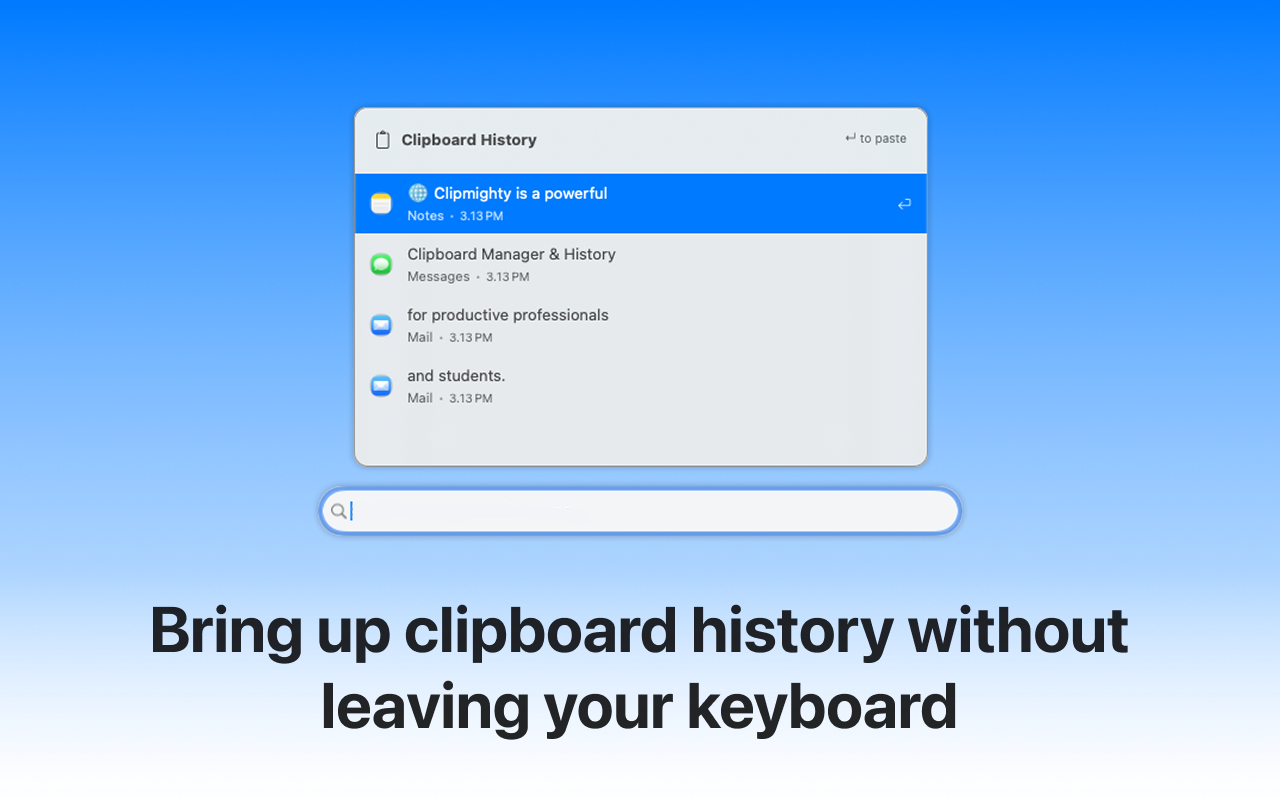
Summon your clipboard history instantly

Everything you need. Nothing you don't.

Infinite History

Automatically save text, images, and rich content. If you copied it, Clipmighty has it. Forever.

Instant Access

Summon your history with a customizable keyboard shortcut. Never lift your fingers from the keys.

Smart Search

Find that link you copied three days ago in milliseconds with powerful text-based filtering.

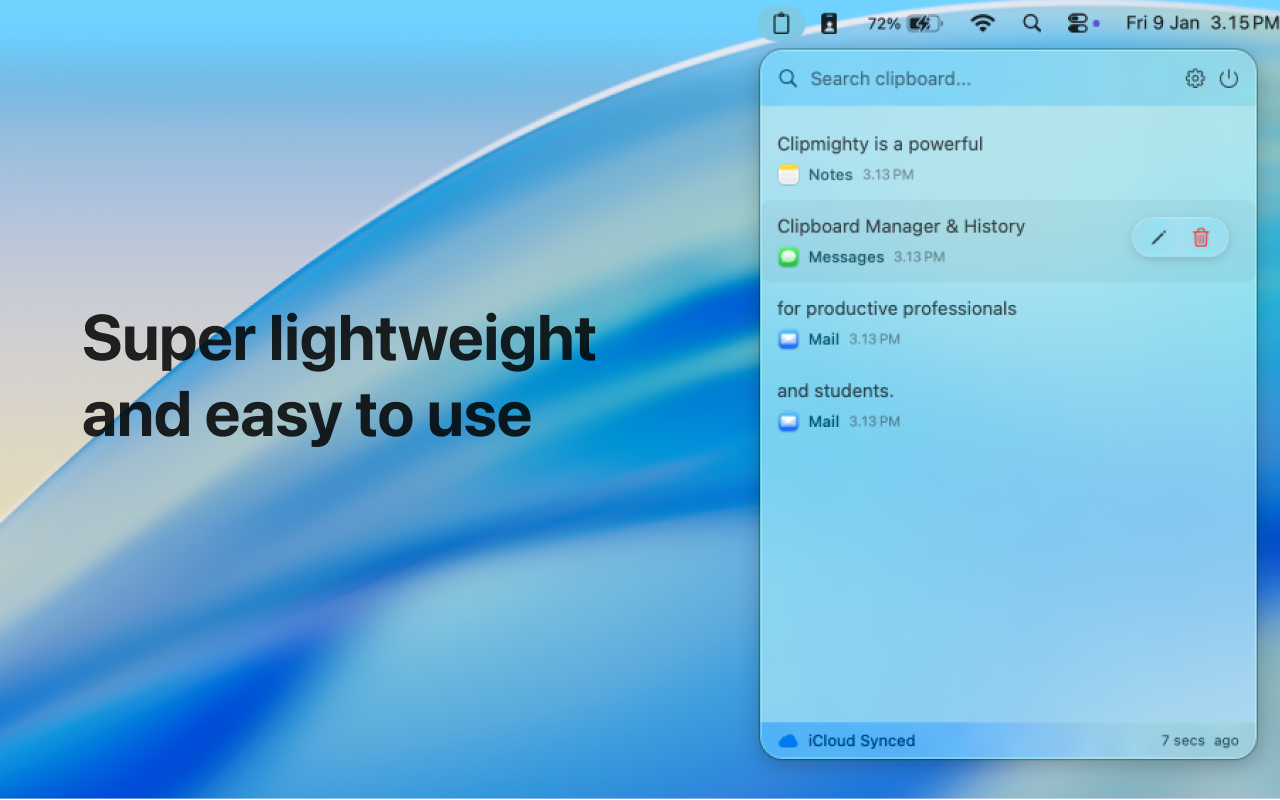
iCloud Sync

Seamlessly keep your clipboard history consistent across all your Macs via your private iCloud.

Edit History

Need to tweak a saved snippet? Edit any item directly within the app before pasting.

Fully Open Source

Clipmighty is completely transparent. Audit the code, contribute features, or build it yourself from source.

Privacy First.
By Design.

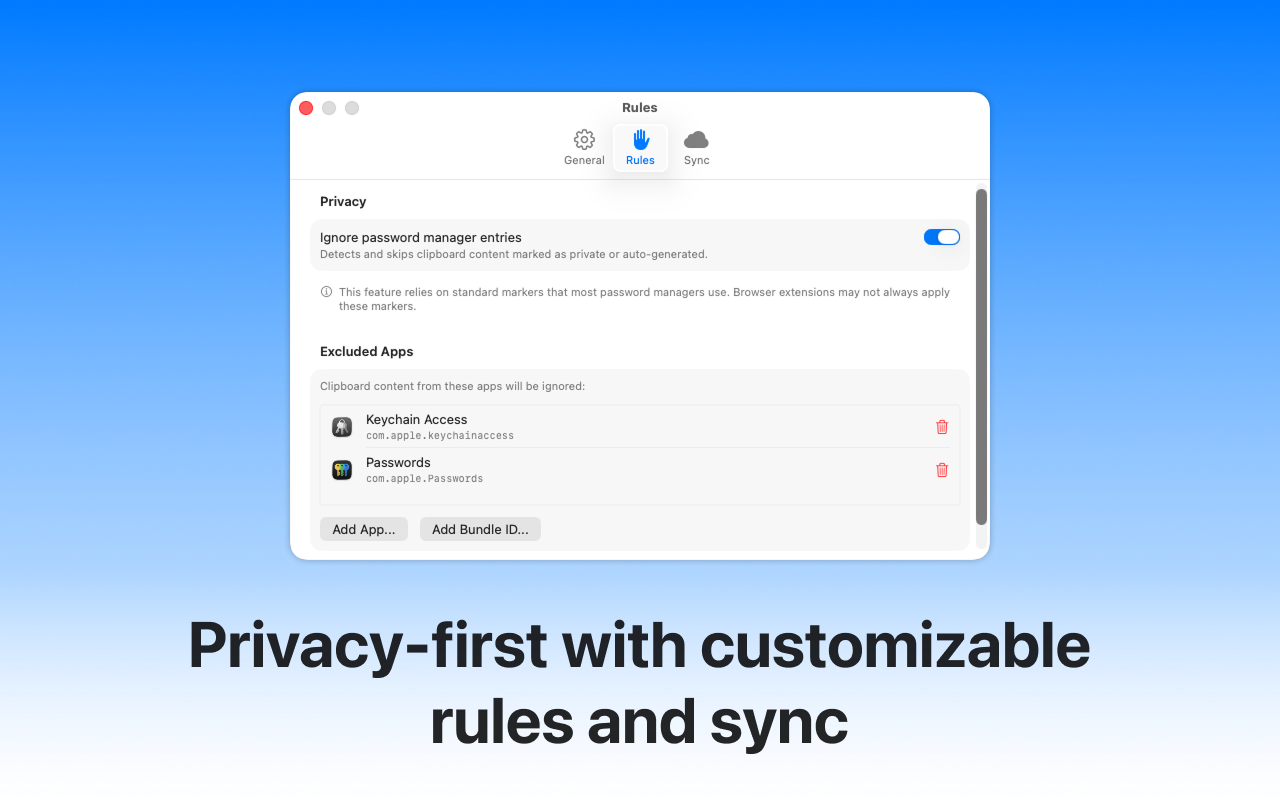
Your clipboard contains sensitive data. We treat it that way. All processing happens locally on your device—we never see your data.

  • App Filtering

    Automatically ignore sensitive apps like password managers or private browsing windows.

  • Local Processing

    Everything happens on your Mac. Your data never leaves your device.

  • Auto-Cleanup

    Set custom rules to automatically delete old history items.

  • No Ads & Trackers

    Completely free from advertisements and tracking. Your usage data stays private.

Invest in your workflow

Mac App Store

$0.99

Great for peace of mind. Let the App Store manage the installation and updates for you.

  • Automatic background updates
  • Easy one-click install
  • Managed by Apple
Buy on App Store

Technical user? Build from source on GitHub.

Common Questions

Is Clipmighty really private?

Yes, absolutely. Clipmighty is built with privacy at its core. All data is stored locally on your Mac or synced via your private iCloud account. We have no servers, no analytics on your clipboard content, and no way to access your data. Your clipboard history is yours alone.

How is Clipmighty different from apps like Maccy or CopyClip?

Unlike older tools or Electron-based apps that can be heavy on resources, Clipmighty is a modern, native macOS app built with SwiftUI. It offers a cleaner UI, seamless iCloud sync across devices (which many others lack), and smart search features, while maintaining negligible battery impact. It's the professional upgrade to standard clipboard managers.

Why use this over Raycast's clipboard history?

Raycast is great, but Clipmighty is dedicated solely to clipboard management. This means we can offer specialized features like a dedicated menu bar interface, visual previews for images, iCloud sync between your Mac, iPhone, and iPad, and advanced organization tools that general launchers don't prioritize.

Is this a good tool for students and productivity?

Definitely. Clipmighty is considered a "hidden gem" for productivity. It saves you from constantly switching tabs to re-copy information. Whether you're writing a thesis, coding, or managing projects, having infinite access to everything you've copied is a game-changer for your workflow.

What macOS versions are supported?

Clipmighty requires macOS 13 (Ventura) or later. This allows us to use the latest Apple technologies like SwiftData for a buttery smooth 60fps experience that doesn't drain your battery.

Can I exclude certain apps from clipboard history?

Yes! Clipmighty has built-in app filtering. You can automatically ignore sensitive apps like password managers (1Password, Bitwarden, etc.) or private browsing windows. This ensures sensitive data is never stored in your clipboard history.

Does iCloud sync work across my Macs?

Yes! When you enable iCloud sync, your clipboard history seamlessly stays consistent across all your Macs signed into the same iCloud account. Copy on your MacBook, paste on your iMac.

Stop re-copying. Start remembering.

Give your brain a backup. Download Clipmighty and reclaim the time you waste switching windows.

Get Clipmighty

Proudly Open Source

We believe in transparency. Clipmighty is built for the community, by the community. Explore the code on GitHub.

View on GitHub