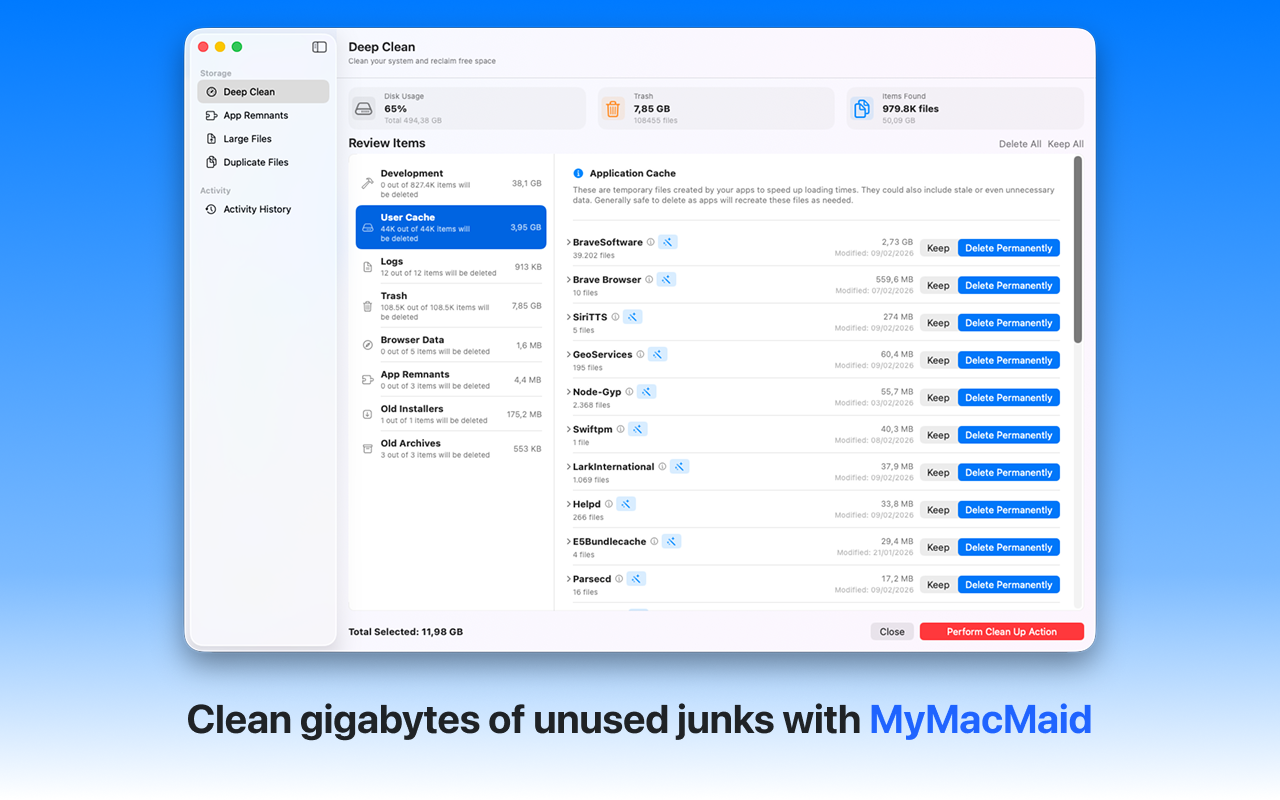
Understand exactly what's using your disk space. Analyze your Mac's storage usage with MyMacMaid. Get a clear visual breakdown of what's consuming disk space and make informed decisions about what to clean.
Over time, your Mac accumulates gigabytes of unnecessary files—caches, logs, duplicates, and leftovers from uninstalled apps. This hidden clutter slows down your system and consumes valuable storage space.
MyMacMaid provides a clear visual breakdown of your storage usage by category, helping you understand exactly where your space is going. All scanning happens locally on your Mac—your data never leaves your device. Privacy-focused, lightweight, and effective.
Key Features
Frequently Asked
MyMacMaid's dashboard shows a visual breakdown of your storage by category: Applications, Documents, System Data, and more. You can drill down into each category to see exactly what's using space.
macOS groups many things under 'System Data' including caches, logs, Time Machine snapshots, and iOS backups. MyMacMaid can identify and help you manage many of these safely.
MyMacMaid scans your actual files to provide accurate counts. Some system files are inaccessible without special permissions, but the app provides a comprehensive view of user-accessible storage.
Download MyMacMaid for free and start reclaiming your Mac's storage today. No subscription required for core features.
Download Free from App Store