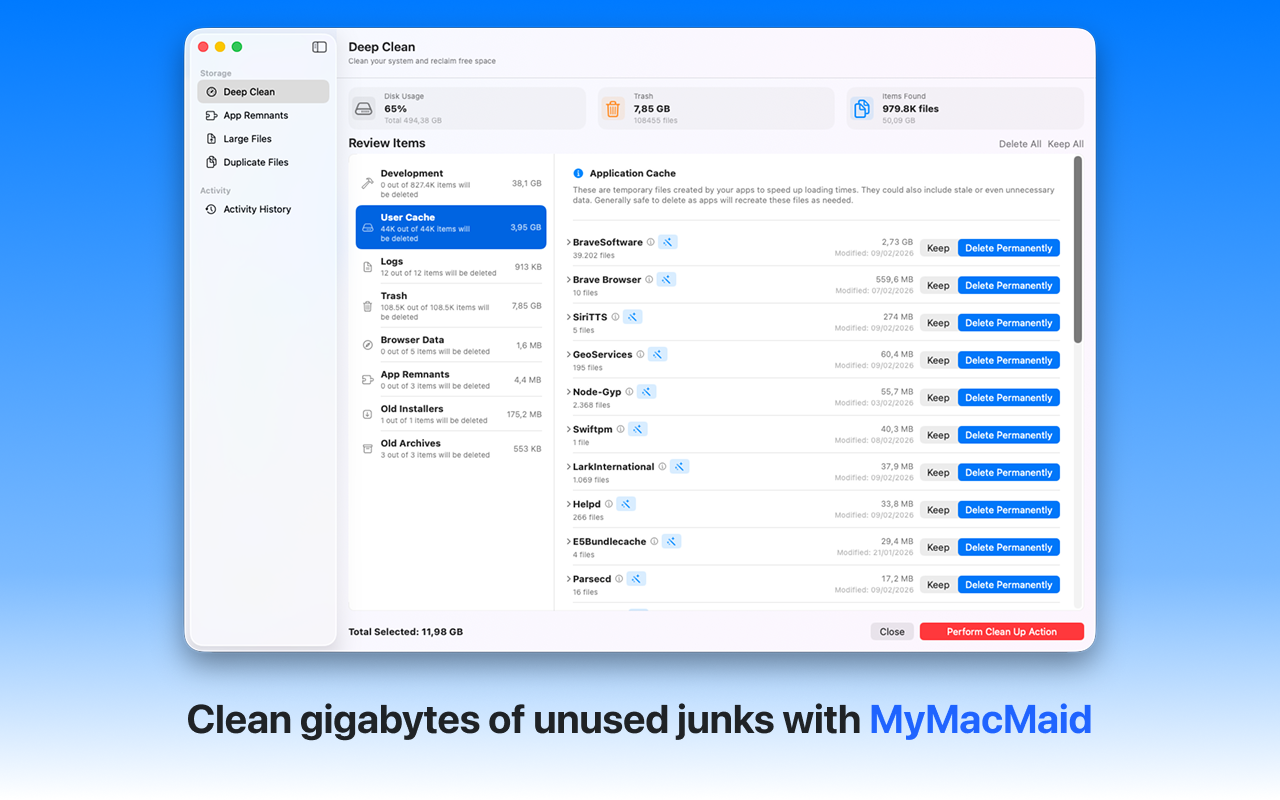
Eliminate hidden junk files cluttering your Mac. Remove junk files from your Mac safely and efficiently. MyMacMaid identifies system caches, log files, broken downloads, and other unnecessary files that waste disk space.
Over time, your Mac accumulates gigabytes of unnecessary files—caches, logs, duplicates, and leftovers from uninstalled apps. This hidden clutter slows down your system and consumes valuable storage space.
MyMacMaid's Smart Scan finds all types of junk files: system caches, application logs, temporary files, broken downloads, and more. All scanning happens locally on your Mac—your data never leaves your device. Privacy-focused, lightweight, and effective.
Key Features
Frequently Asked
Junk files on Mac include: system caches (used to speed up apps but can grow large), log files (diagnostic records that accumulate), temporary files (created by apps but not cleaned up), and broken downloads. These files are safe to remove and can free up significant space.
MyMacMaid automatically scans your Mac to find all junk files. Simply run a Smart Scan and the app will show you a categorized list of junk files with their sizes, making it easy to see what's taking up space.
Yes, files identified by MyMacMaid as junk are safe to delete. The app only flags non-essential files like caches and logs. Your personal files and important system files are never touched.
Download MyMacMaid for free and start reclaiming your Mac's storage today. No subscription required for core features.
Download Free from App Store