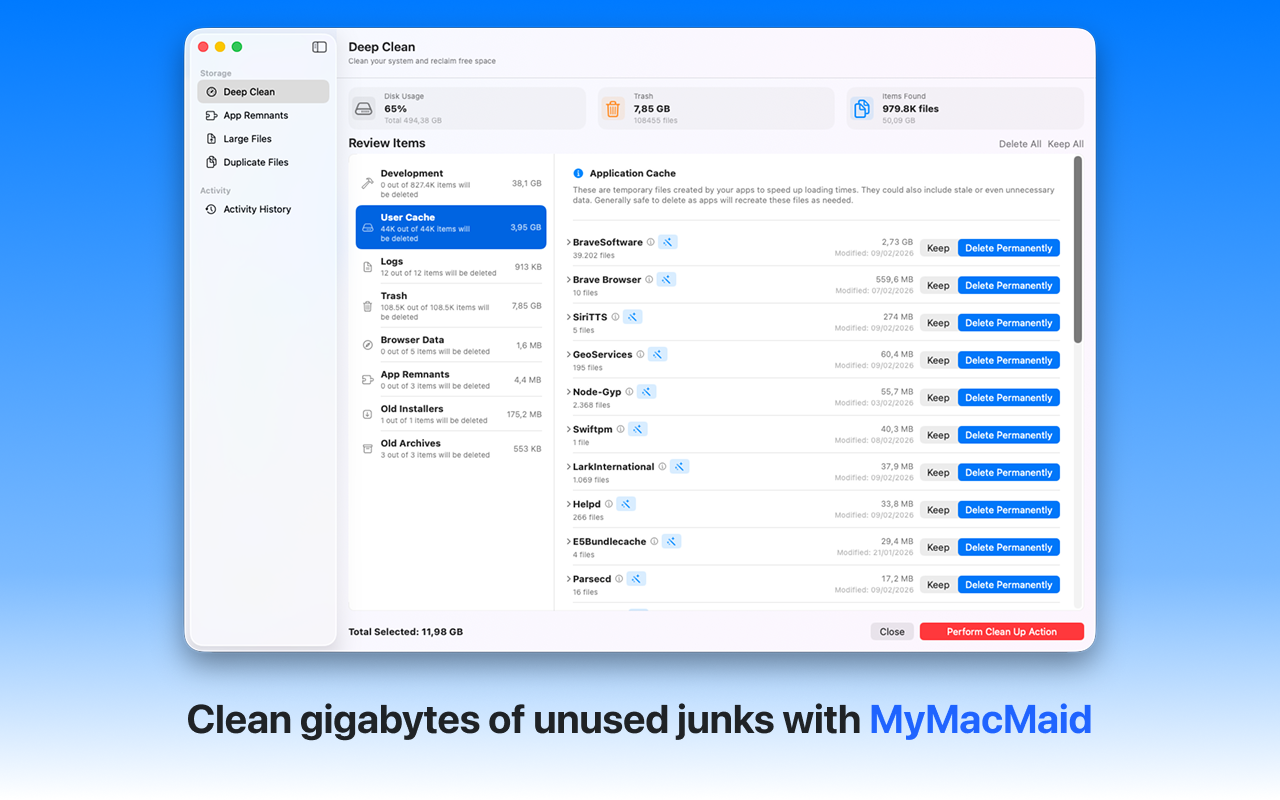
Clean system and application caches safely. Clear caches on your Mac to reclaim disk space and resolve app issues. MyMacMaid safely removes system caches, browser caches, and application caches without affecting your data.
Over time, your Mac accumulates gigabytes of unnecessary files—caches, logs, duplicates, and leftovers from uninstalled apps. This hidden clutter slows down your system and consumes valuable storage space.
MyMacMaid identifies all types of caches on your Mac and lets you clean them safely with one click. All scanning happens locally on your Mac—your data never leaves your device. Privacy-focused, lightweight, and effective.
Key Features
Frequently Asked
Cache files are temporary data stored by macOS and apps to speed up operations. While helpful, they can grow very large over time. It's completely safe to delete caches—apps will recreate them as needed.
MyMacMaid makes clearing cache simple. Run a Smart Scan to identify all cache files across your system, then select which caches to remove. The app shows you how much space each cache category uses.
Clearing cache is safe and won't delete your data or settings. Apps might launch slightly slower the first time after clearing their cache while they rebuild it, but this is temporary.
Download MyMacMaid for free and start reclaiming your Mac's storage today. No subscription required for core features.
Download Free from App Store